
Rejecting a Request

Mar 11, 2026
 197
197
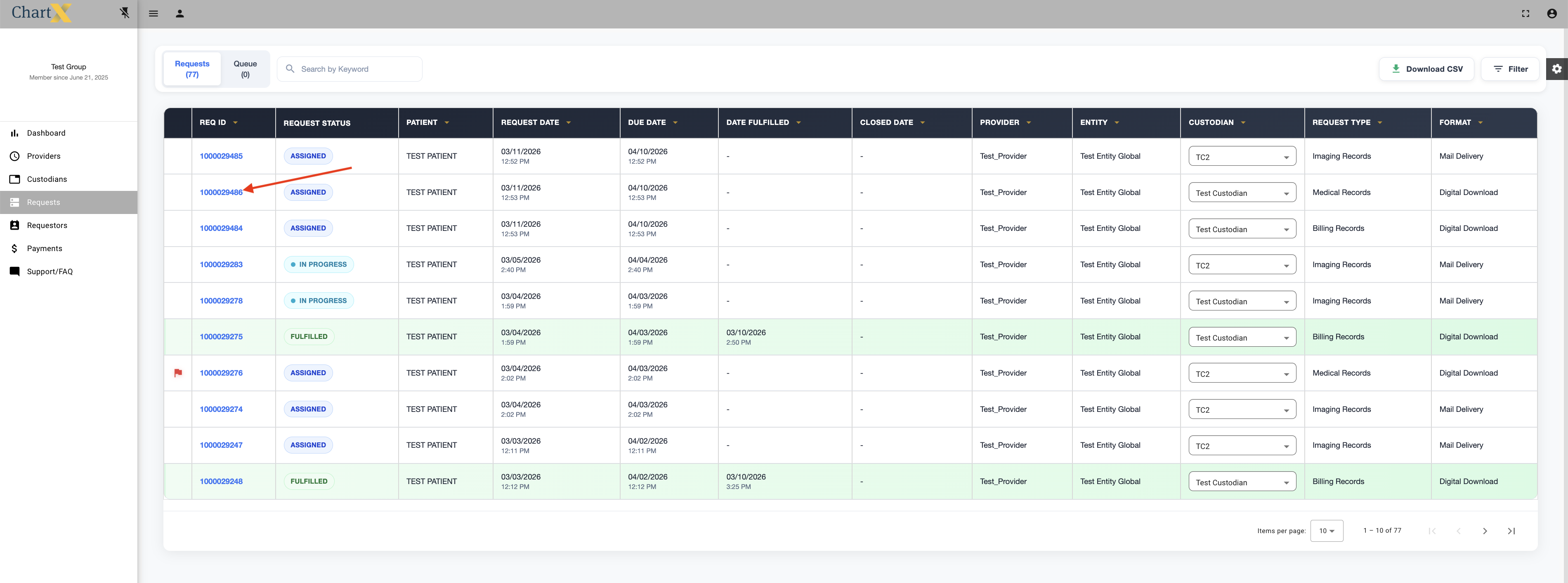
Requests can be rejected for a variety of reasons. To reject a request click on the REQ ID.
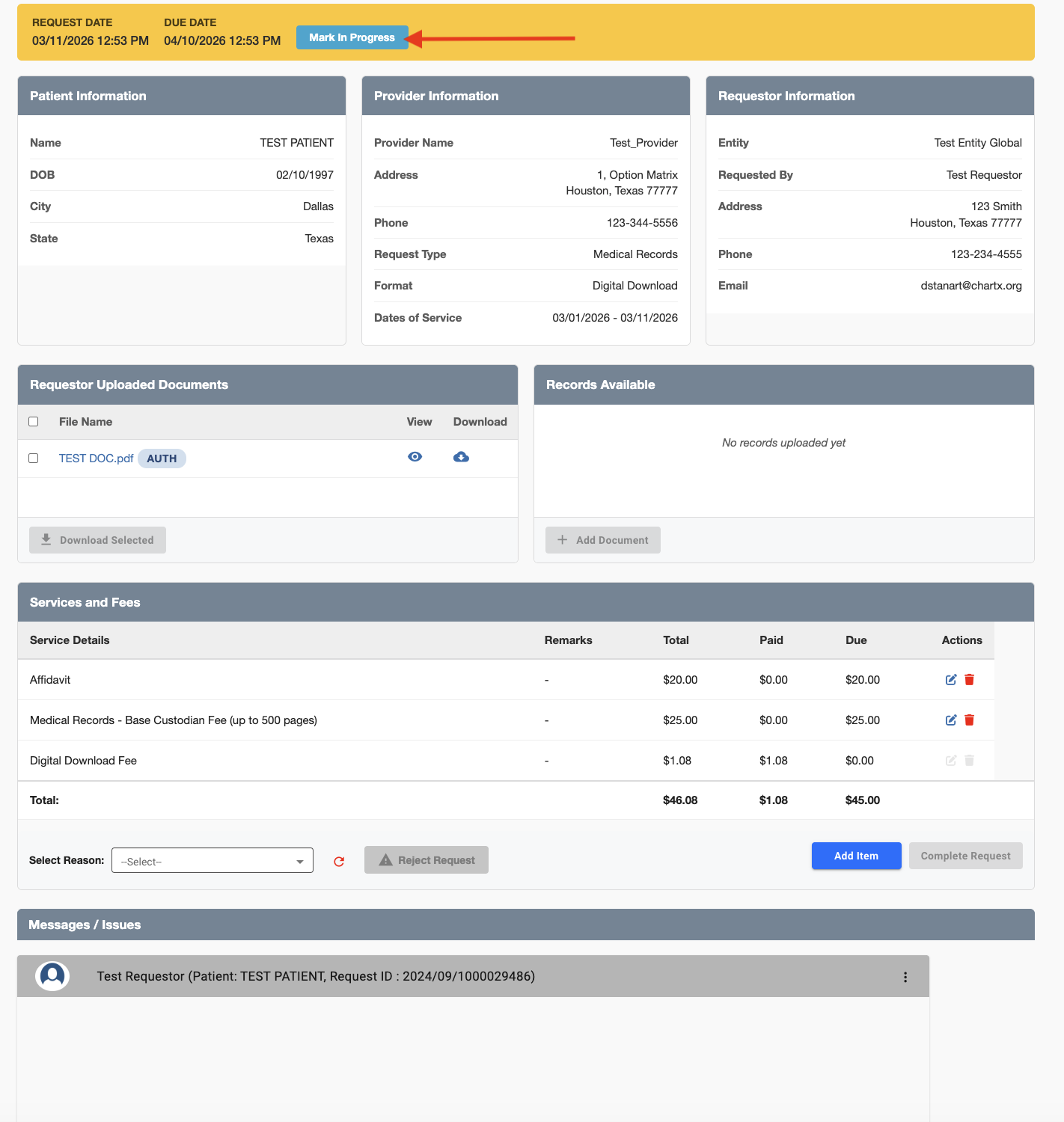
Click Mark in Progress.
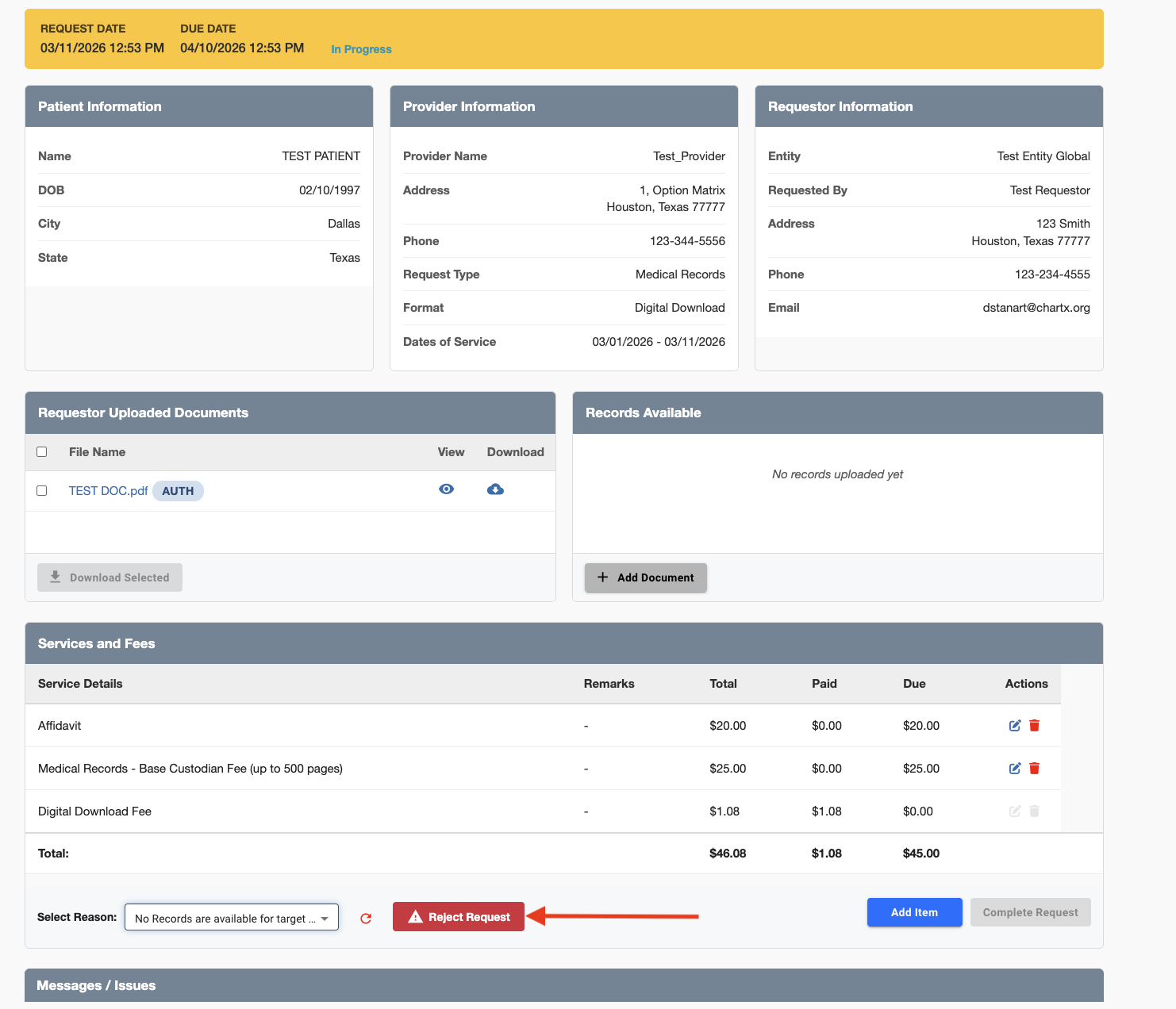
Select a reason for the rejection from the drop down menu. These reasons are preset by your administrator.
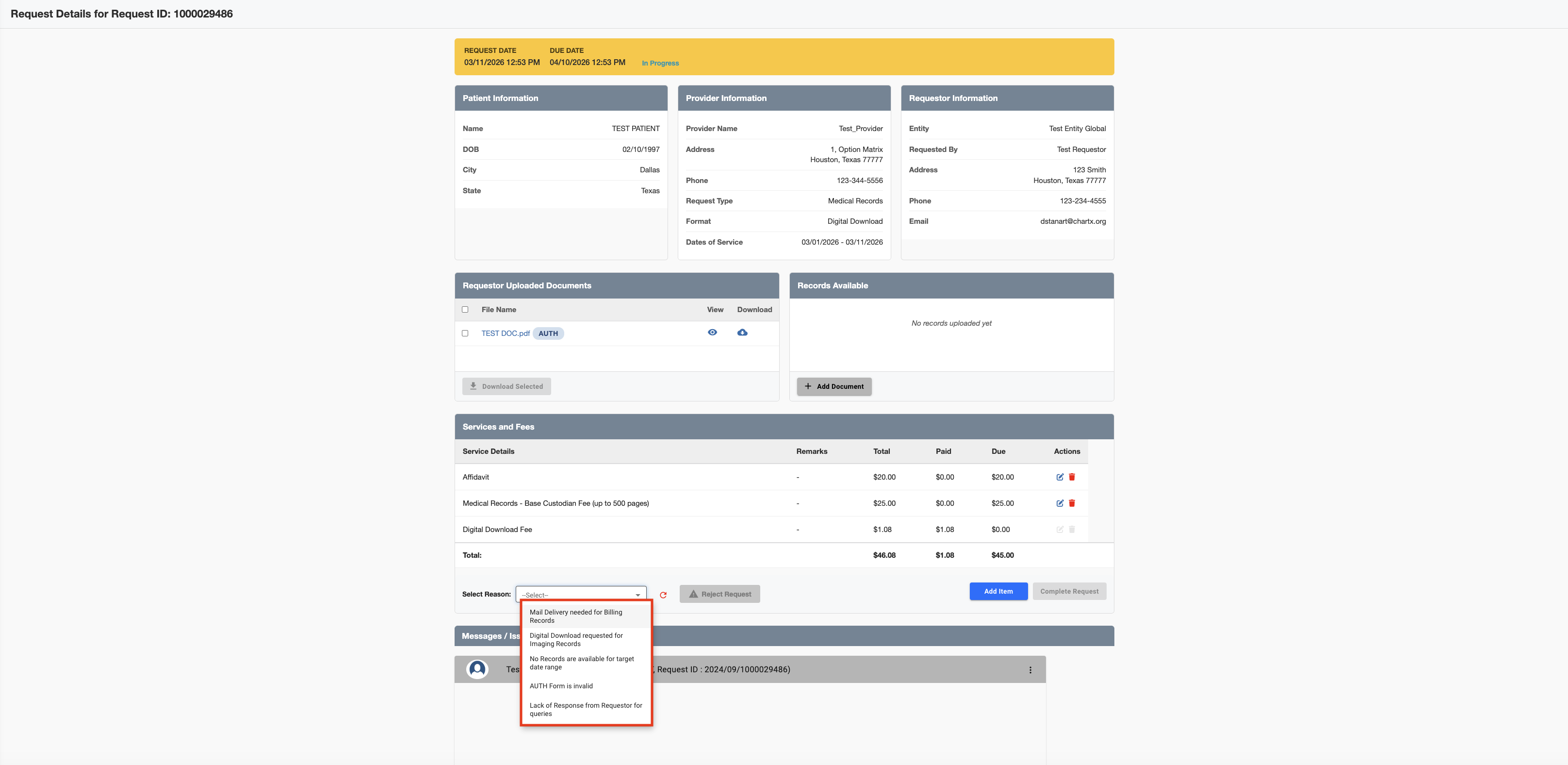
Then click Reject Request.
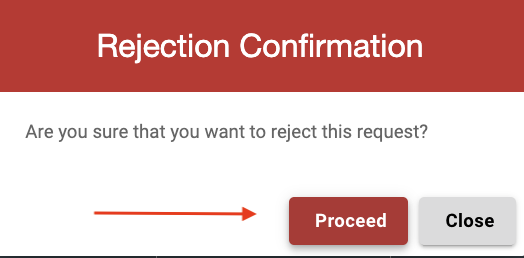
Click Proceed.