
How do I Resolve an Issue?

Apr 28, 2026
1345

Occasionally a requestor will have an issue with a request. This could be an range of things including but not limited to: an error on the affidavit, wanting a status update, or simply clarification on why the request was rejected.
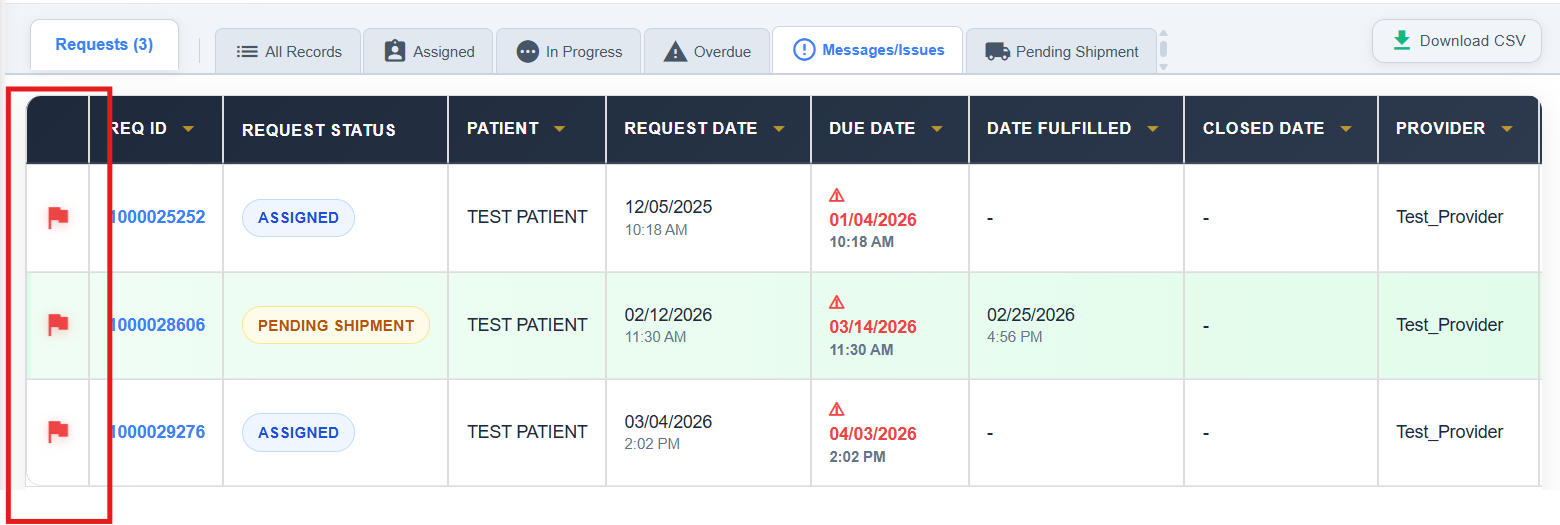
When an issue arises you will be notified by a red flag next to the REQ ID.
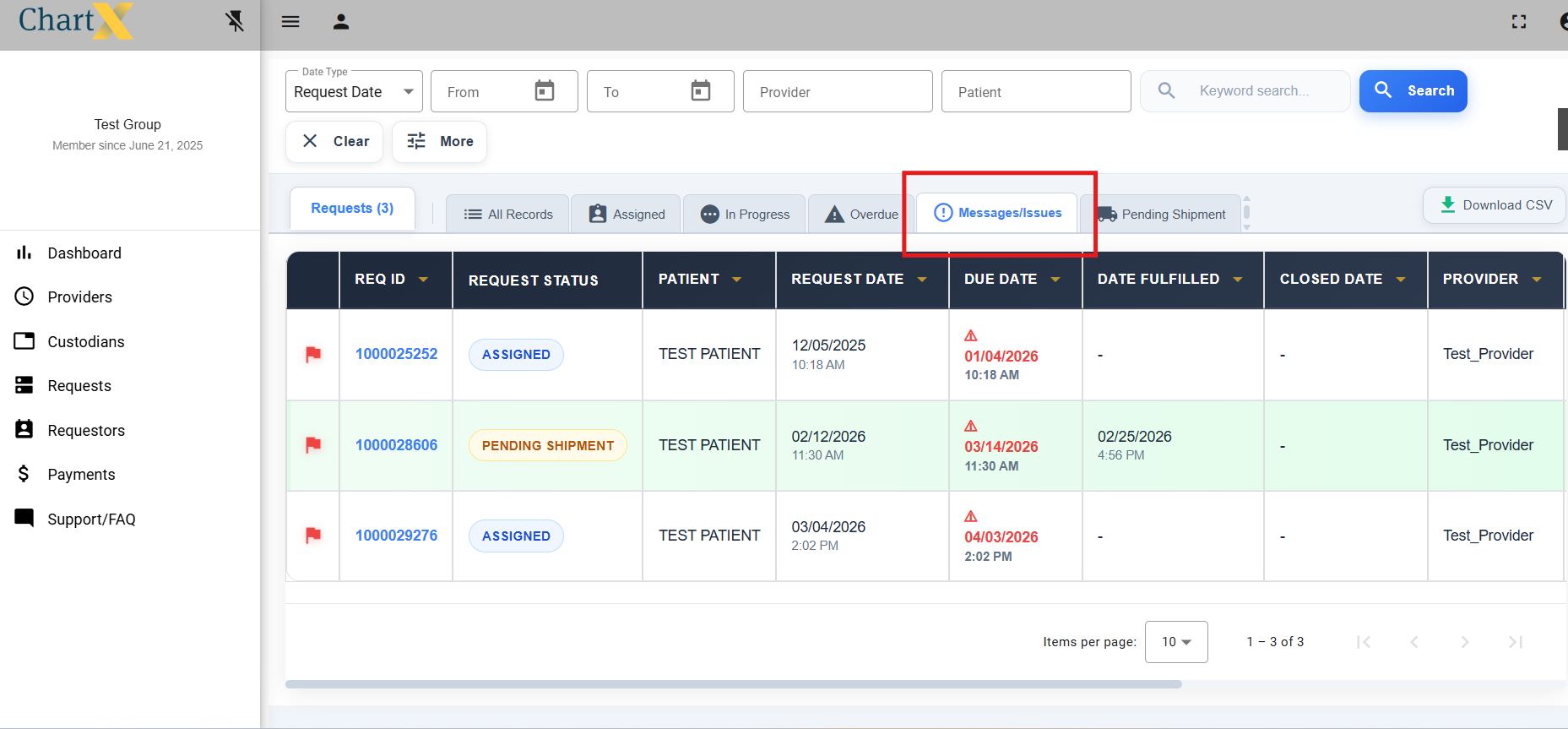
You can also access all of these messages by selecting the Messages/Issues tab.
Once you have resolved the issue, it is very important that you click on the resolve button to remove the flag and to remove it from your Messages/Issues tab.
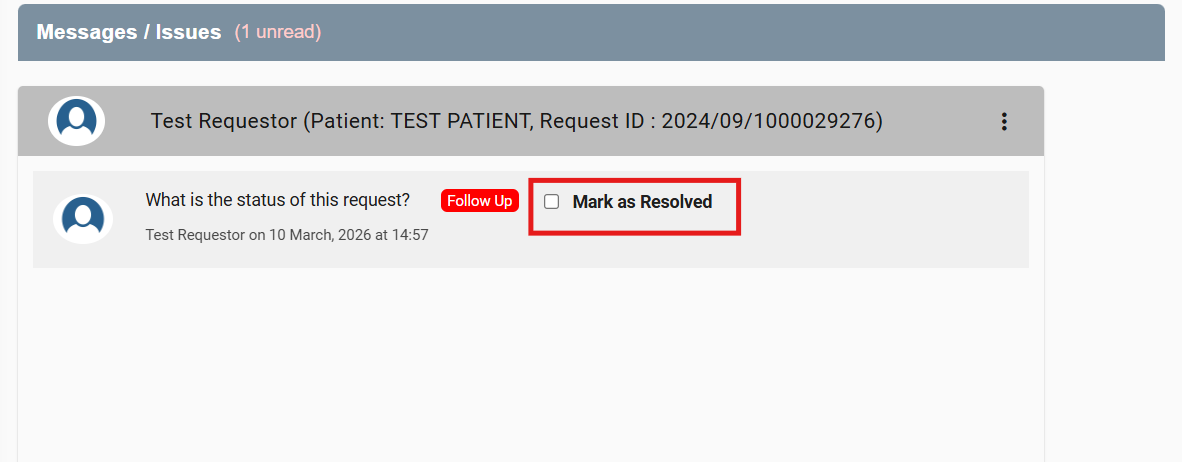
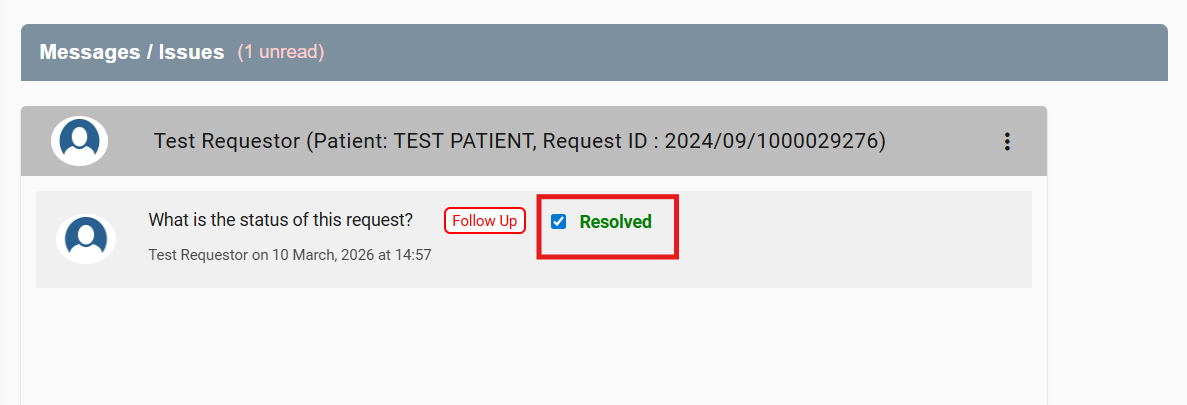
Once you have clicked on Mark as Resolved, it will change to Resolved.